For anybody who has a bit of a technical, problem-solving mind (I'm going to guess that's literally anybody reading this), there's a high likelihood that you have not only played with or owned a Rubik's cube but also attempted to solve one using a step-by-step guide.
Notation
Most guides are written using 'Singmaster Notation' where F denotes a clockwise rotation of the side facing the solver, U' is an anticlockwise rotation of the uppermost layer, and so on.
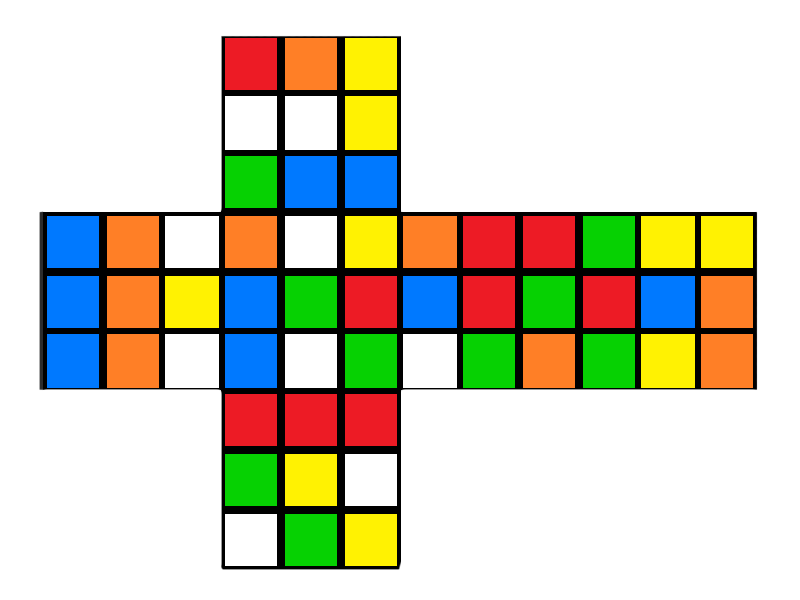
This notation is used to describe not only solving steps but also scrambles when applied to an already solved cube. The following scramble, for example:
L R' D2 U' B D2 F2 D F' L2 F2 R' D' L R2 D U2 L F' L' B2 D U R2 F' D' L' R D2 U
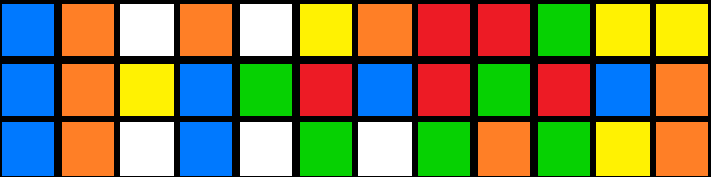
Produces this:
Kana Flick
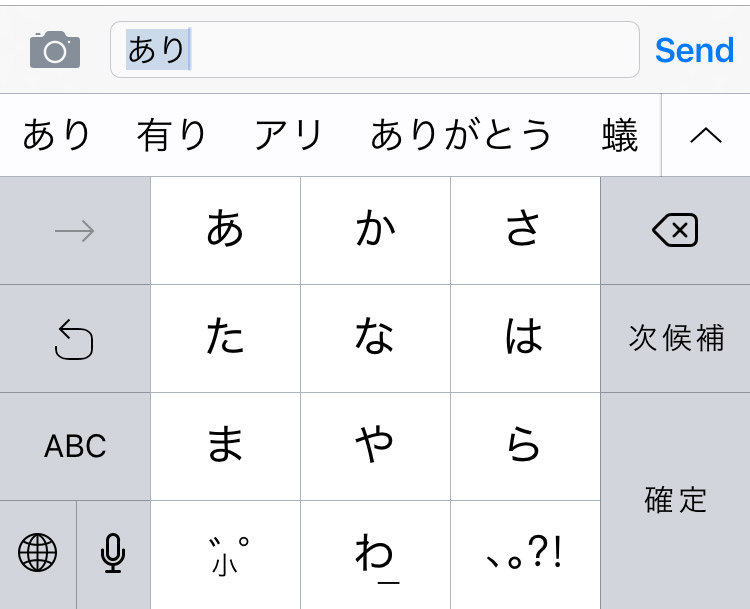
In seemingly unrelated news, the standard way to type Japanese characters on a smartphone is using a Kana Flick Keyboard.
This style of keyboard groups characters together so that you essentially touch the key to select the consonant, move in one of four directions (or stay still) to select the vowel and let go to confirm. Put that way, describing it takes a lot longer than actually doing it.
Rubik's flickboard
This is a long preamble to say that I was thinking through a new game design the other day when I had an idea about a variation on the kana flick keyboard that could be used to enter Rubik's cube move notation:
Note: It doesn't yet include 'fat' moves (lowercase variations which denote moving two slices of the cube rather than just one), E, S or rotations (x, y, z).
It only works on iOS for now because it was a Sunday-evening sofa hack while rewatching Voyager on Netflix.
Every couple of months, we have a Research Week. It's kind of like the well-known Google 20% time but instead of doing it one day a week, we gather up our time and do a week of maps-based hacking. It's totally cross-discipline so we usually gather a couple of developers, a couple of UX and visual designers, a QA and build something cool. In past Research Weeks, I've built or helped build the Alien Easter Egg, Maps Labs and CoverMap.Me. I also built a maps-based JSBin fork called JotApp.
When my partner-in-crime Max started working on the latest version of his jQuery plugin (formerly called jOvi, now called jHERE), I wanted to build a new playground where people could play and build their own maps mashups and hacks really easily. My first thought was to rework the fork of JSBin again and maybe add in a slightly nicer default theme. I wanted users to be able to save to Gists so, seeing as there is already an SQLite and a MySQL adapter, I wrote a Gist adapter which appeared to the application as if it were a database but actually saved to anonymous Gists. The problem was that it was a bit too… heavy.
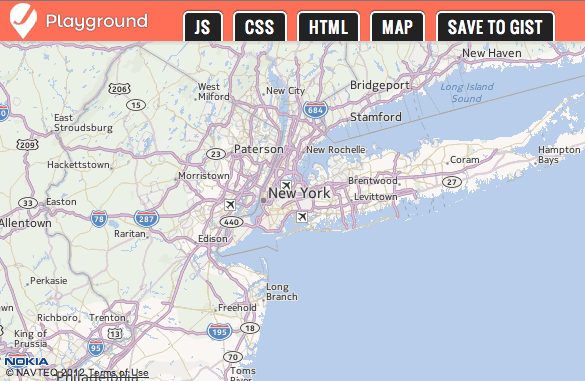
Don't get me wrong, JSBin is a fantastic project. It just does a lot more than I needed. I didn't need the MySQL adapter, the alternate themes, the localstorage or the user registration. Also, it's a bit too weighty for my phone. When someone tweets a link to a JSBin or a JSFiddle, I usually check it out on my phone and it's not the best experience. Seeing as HERE maps work on mobile, I wanted my playground to work, too. Rather than spend a couple of hours cutting out all the bits I didn't want from JSBin, I decided to spend a couple of hours building my own version from scratch. So, this past Sunday afternoon, that's exactly what I did:
It's written in NodeJS on top of express and works nicely on desktop, iPad and mobile.
The project is open-sourced on GitHub (naturally) and can be modified to be a general JS-playground for anything. If you fancy a simple, self-hosted JS hackspace, just change the default HTML, CSS and JS and it's ready to go.
I'm almost managing to keep to my intended schedule of one map-based web experiment per week. Unfortunately, I've mostly been working on internal Nokia Maps projects over the weekends recently so I've not had much to post here.
Using just the public APIs over a couple of hours last Sunday afternoon, I made this to allow you to set a Nokia Map as your Facebook Timeline cover. The whole process is really straightforward so I thought I'd go over the main parts.
The exact aim of CoverMap.me is to allow the user to position a map exactly, choose from any of the available map styles and set the image as their cover image.
Make a Facebook App
Go to developers.facebook.com/apps/ and click 'Create New App', fill in the basic details – name of the app, URL it will be hosted on, etc – and you're done.
Facebook login
I've used the Facebook JS SDK extensively over the summer for various projects but I wanted to try out the PHP one for this. Super, super simple. Really. Include the library (available here), set your appId and secret and request the $login_url.
That will give you a link which will take care of logging the user in and giving you basic access permissions and details about them.
Nokia Maps JS API
When I'm hacking together something quick and simple with the Nokia Maps API, I usually use the properly awsm jQuery plugin jOVI written by the equally awsm Max. This makes 90% of the things you would want to do with a map extremely easy and if you're doing stuff advanced enough to want the extra 10%, you're probably not the type who'd want to use a jQuery plugin, anyway. Either way, you need to register on the Nokia developer site to get your Nokia app_id and secret.
To create a map using jOVI, simply include the plugin in your page then run .jOVI on the object you want to contain the map along with starting parameters:
As I mentioned above, part of the idea for CoverMap.me was to allow the to choose from any of the available map styles. This was an interesting oddity because the public JS API gives you the choice of 'Normal', 'Satellite', 'Satellite Plain' (a.k.a. no text), 'Smart' (a.k.a. grey), 'Smart Public Transport', 'Terrain' and 'Traffic' while the RESTful Maps API (the API that provides static, non-interactive map images) supports all of these plus options to choose each of them with big or small text plus a 'Night Time' mode. Because of this, I decided to go for a two-step approach where users were shown the JS-powered map to let them choose their location then they went through to the RESTful static map to allow them to choose from the larger array of static tiles.
RESTful Maps
The RESTful Maps API is relatively new but does provide a nice, quick map solution when you don't need any interactivity. Just set an img src with the query parameters you need and get back an image.
(this should be all on one line)
http://m.nok.it/
    ?app_id=APP_ID
    &token=APP_TOKEN
    &nord       // Don't redirect to maps.nokia.com
    &w=640      // Width
    &h=480      // Height
    &nodot      // Don't put a green dot in the centre
    &c=38.895111, -77.036667 // Where to centre
    &z=12       // Zoom level
    &t=0        // Tile Style
That URL produces this image:
Upload to Facebook
Given the above, we've now got an image showing a map positioned exactly where the user wants it in the tile style the user likes. We just need to make the Facebook API call to set it as Timeline Cover Image and we're done.
You'd think.
Facebook doesn't provide an API endpoint to update a user's profile image or timeline cover. It's probably a privacy thing or a security thing or something. Either way, it doesn't exist. Never fear! There's a solution!
With the default permissions given by a Facebook login/OAUTH token exchange/etc... (that thing we did earlier), we are allowed to upload a photo to an album.
The easiest way to do this is to download the map tile using cURL then repost it to Facebook. The clever way to do it would be to pipe the incoming input stream directly back out to Facebook without writing to the local file system but it would be slightly more hassle to set that up and wouldn't really make much of a difference to how it works.
The closest thing we can do then is to construct a Facebook link which suggests the user should set the uploaded image as their Timeline Cover:
// $data['id'] is the image's Facebook ID
$fb_image_link = "http://www.facebook.com/" . $username . "?preview_cover=" . $data['id'];
Done
There we go. Minimal development required to create a web app with very little demand on the user that gives them a Nokia Map on their Facebook profile. Not too bad for a Sunday afternoon.
A couple of weeks ago, I started digging into the Web Audio API. Initially, I was just looking to find out what it was and see if any ideas for toys presented themselves but, kinda predictably, I ended up getting elbow-deep in a bucketful of audio routing graphs, gain nodes and impulse responses.
I'll write up a more detailed post about the API shortly but Max and I used it quite heavily in the 5apps hackathon we attended last week and I wanted to share the outcome of our hacking.
SoundScape
“A Nokia Map mashed together with a bunch of APIs and positional audio to create an immersive map experience.”
For a better explanation of how SoundScape works, check out Max's slides:
In essence, we use a Nokia Map as the base, add on a Flying Hamster, make a call to Freesound.org for geotagged audio samples, male a call to LastFM for upcoming concerts, make a call to Deezer for the most popular track by the artist playing the event reported by LastFM and put them all together in the browser using 3D positional audio. Basically.